Atrium HQ
The question
How do you stop sales teams rebuilding the same report every morning?
Atrium is an AI sales performance platform. Over three years I designed its AI Sales Coach and, in this case study, Saved Metrics: sales teams customised metrics every day but had no way to save or share them. It beat its adoption goal in the first week and shipped on the Design System 2.0 I set up.
- of monthly active users shared a saved metric in the first week
- 13%of monthly active users shared a saved metric in the first week
- customer calls and user recordings analysed
- 30customer calls and user recordings analysed
- design system established alongside the feature
- 2.0design system established alongside the feature
01
Context
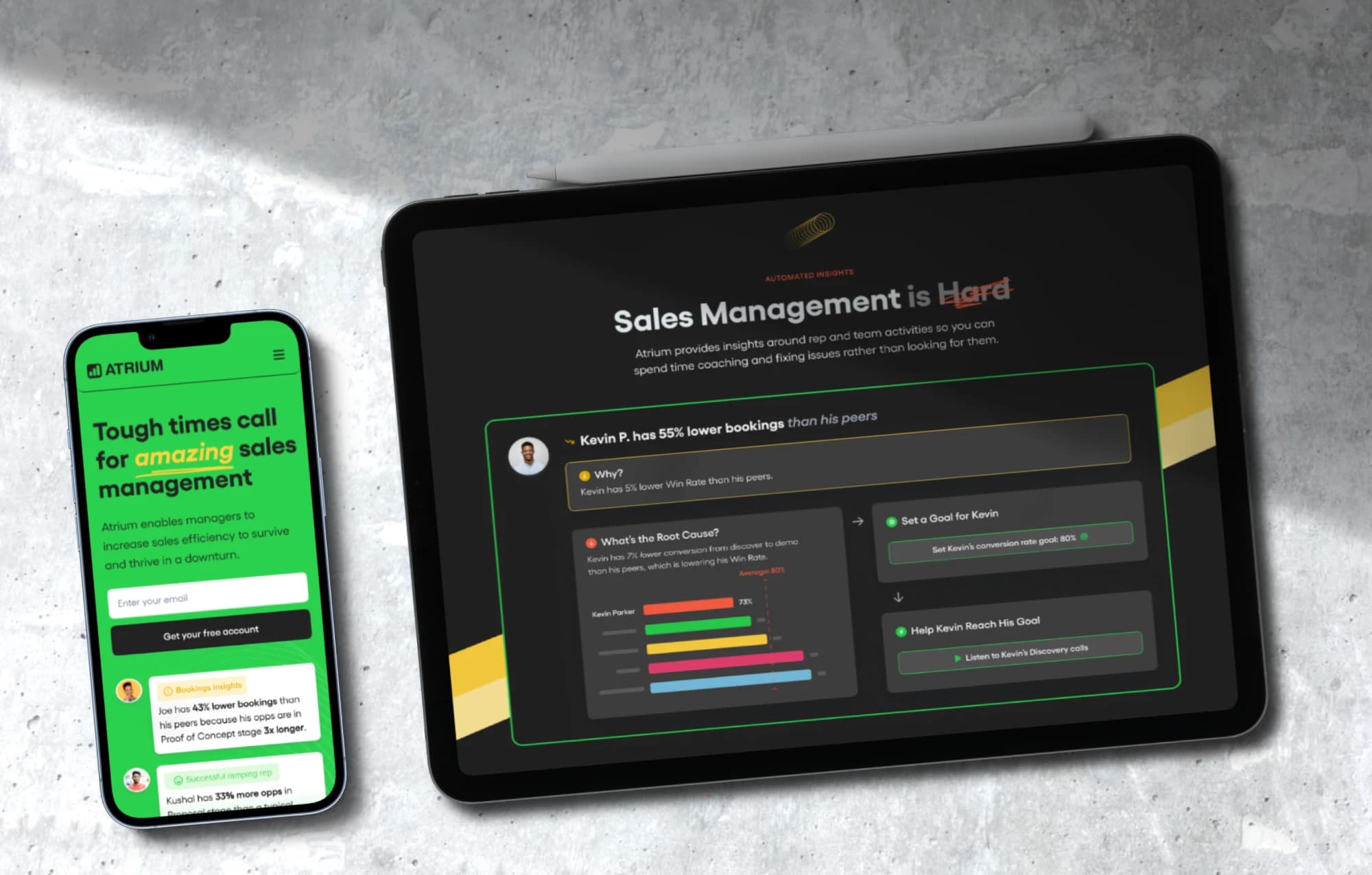
Atrium is a sales insights and coaching company. Its desktop app helps sales managers see how every rep is performing, understand why, and decide where to coach.
In June 2022 Atrium asked me to improve how their users view and save metrics in the app. It was the first of many projects: I worked with Atrium for three years — in-house until 2023, then with Atrium as a client of Overspace.
The biggest of those later projects was the AI Sales Coach: an assistant that reads each rep's numbers, explains what's behind them, and recommends concrete next steps to both the manager and the rep. I designed it from the first concept to launch, before AI assistants were everywhere, and it became one of Atrium's headline features.
02
Problem and business goals
The Metrics screen is an integral part of Atrium. But once someone customised a metric — filters, grouping, time range — there was no way to save it, and no way to share it with the team.
Business and product goals
- 01At least 10% of unique monthly active users share a saved metric within the first month after launch
- 02Increase product engagement among paying users
- 03Move Atrium towards a self-serve platform
- 04Establish and start implementing Design System 2.0
User goals
- 01Save metrics
- 02Share saved metrics with others
- 03Make the Metrics screen easier to use
03
Discovery
Three questions guided the research: How do people use the Metrics screen today? Where would they want to save metrics? And how would they find what they just saved?
Pain points
- —Can't always find how to switch to a different metric
- —Don't know how to update a metric that lives in a folder or on a dashboard
- —Often don't know there's a table view for metrics
- —Don't always know what a specific metric means
- —The Metrics screen feels disconnected from the screen it opens from — a light Folder or Dashboard jumps to a dark Metrics view
Research
- CEO and product manager interviews
- Collected their pain points and product vision into a Usability and Efficiency (UAE) list.
- 10 customer call ride-alongs
- Joined the CX team on customer meetings and added the friction we heard to the UAE list.
- 20 FullStory session recordings
- Watched how people actually use the Metrics screen today — and how often they change filters.
- Design research
- Reviewed best practices for saving and organising reports in Gong, Mixpanel, Chorus, HubSpot and others.
What we learned
- 01People need to save multiple variations of a single metric
- 02They expect to save metrics to dashboards and to folders
- 03They want to share saved metrics with their teams
- 04They fiddle with filters a lot — every saved metric is a set of filter choices
04
Problem definition
- 01There's no way to keep a metric after customising it — and people need several variations of the same one.
- 02Saved metrics need a home: dashboards and folders where people can find them again.
- 03Insights can't travel — people want to share saved metrics with their team.
- 04The Metrics screen itself is hard to use: switching and updating metrics, finding the table view, and understanding what a metric means.
05
From problem to solution
Saving a metric turned out to mean different things depending on where the metric lives. So I wrote out every possible use case for saving, and designed for each one explicitly. A metric can be in one of three states — a default metric that comes with Atrium, a saved metric, or a dashboard tile — and the last two can be either unchanged or modified.
The scope ended up bigger than the resources the company could allocate, so I worked with the PM and engineers on a phased delivery plan: what a full version would take, what the lowest-effort version was, and how to roll out the new design system along the way.
From finding to decision
Use cases
Default metric
Pre-installed with Atrium. Save it as your own metric, or copy it to a dashboard.
Saved metric, unchanged
Duplicate it, or copy it to a dashboard.
Saved metric, modified
Save changes to this metric, or save them as a new one.
Dashboard tile, unchanged
Create a saved metric or a new tile from it.
Dashboard tile, modified
Save changes to just this tile, or add it as a new tile on a different dashboard.
Journeys, IA and flows
06
Design
The final design is storyboarded state by state: the default card with filters, title switcher, descriptions, copy-to-dashboard, share and save; and the saved card with labels, folders and sharing. Layouts were designed for both 1280px and 1920px screens, and the Metrics screen moved from a dark to a light theme with an updated layout.
After a discussion with the PM, we agreed Atrium should look more modern and friendly: the long-term goal was a self-serve platform, so it had to feel approachable and human.
Saved Metrics became the foundation for Atrium's Design System 2.0.
Before
After
Visual decisions
Design-system decisions
- Color tokens on a full shade scale
- Design and code reference the same named colors, so a palette change happens in one place.
- Proxima Nova for UI, Yellix for titles
- A legible workhorse for data-dense screens, and a friendlier, more distinctive voice for headings.
- 4pt spacing grid
- Every space is a multiple of 4pt, for a consistent vertical rhythm and less guesswork in handoff.
- Auto Layout and variants
- Components adapt to their content and states, so each pattern is designed and built once.
- Button sizes per context
- Large 40 for onboarding, medium 32 as the main size, small 28 for the sidebar and top navigation — each with default, hover, focused and disabled states.
- Documentation next to every style
- Notes pages explain when and how to use each style, so the system scales beyond its author.
07
Testing and iteration
My first save design was a single Save dropdown with a name, folders and dashboards. It was simple and elegant — and too simple. Before building it, I asked what would really happen when people used it.
How we tested
- Power-user review
- Walked Atrium's own sales team — representative of our power users — through the first save design. They struggled with the same questions I had.
- Team review
- Shared the popover iteration with the team. They liked the popover and the other UX fixes — but I still wasn't happy with the UI, so I polished the visual layer next.
- Design QA during implementation
- Audited features as they were built: reviewed builds against the designs, filed Jira tickets and wrote bug lists.
What we measured
- —Share of unique monthly active users sending at least one saved metric (target: 10% within the first month)
What we learned
- 01Deselecting a dashboard and hitting Save would remove the metric from that dashboard — and nothing made that clear.
- 02Changing filters and saving would rewrite the metric across every folder and dashboard it lived in — without saying so.
- 03There was no way to tweak one dashboard tile without changing the metric everywhere, or to duplicate a metric.
What changed
BeforeOne Save dropdown for every case: name, folders, dashboards
AfterSave actions that depend on the metric's state — e.g. “Save changes to this tile” vs. “Add as a new tile to a different dashboard”
08
Outcome
- of unique monthly active users sent at least one saved metric in the first week — the goal was 10% in the first month
- 13%of unique monthly active users sent at least one saved metric in the first week — the goal was 10% in the first month
We launched two months later. Saved Metrics was successfully adopted and became a regular part of how people work with metrics in Atrium.
Shipped
- —Saved Metrics: save, organise in folders and dashboards, and share
- —Design System 2.0 — established and rolled out, and well received by design and engineering